Showing posts with label Samsung. Show all posts

Samsung Galaxy Note 3 Reviews, Release Date and Price


The Samsung Galaxy Note 3 is already announced at IFA Berlin 2013 during the Samsung Unpacked Episode 2 event. The monster is officially released and the date has been set for September 25th. This is the shipping date and there is no official date for when pre-orders are accepted by carriers worldwide.

The main specs of Note 3 are the 5.7 inch 1080p Full HD Super AMOLED display, Snapdragon 800 chipset with 2.3 quad-core Krait 400 for the LTE model or 1.9 GHz for Exynos Octa Core CPU for the non-LTE variant. That’s right, the Galaxy Note 3 will also come in multiple editions, just like the previous Galaxy S2, S3, S4 and Note 2 devices. The Galaxy Note 3 also features 3GB RAM, 32 GB / 64GB internal storage that’s expandable up to 64GB via external microSD.

It will run Android 4.3 Jelly Bean for the moment. However, everyone waits for Google to launch their Android 4.4 KitKat OS and then we can speculate on whether the Note 3 will be updated to Android 4.4 or not. The official pricing of this device should be somewhere around $600 and around $200 for a two-year contract from all major US carriers.

Samsung says that they expect the Galaxy Note 3 to start shipping all over the world in October. In the US it will be available from AT&T, Verizon, Sprint, T-Mobile and US Cellular with each carrier adding their own edited TouchWiz and Android 4.3 interface. It comes with tons of new features and improvements to its overall UI, as you will from now be able to choose from three differently colored models: Jet Black, Classic White and Blush Pink.


The official release date for Samsung next ‘phablet’ is September 25 and more and more users are starting to search for websites where they can pre-order the device. All major US carriers should announce in the next few days more info about the availability of Galaxy Note 3 and pricing.

Own Samsung Galaxy Note 3 Now!

Advantages and Main Disadvantages of the Samsung Galaxy Core


There are a number of reasons to consider the Samsung Galaxy Core - the screen is decent, the camera is quite fine for the class and the smooth Android 4.1 Jelly Bean on board. But as this is quite a crowded part of the market, there are also many smartphones, who'd try and give you reasons to look the other way. Let's have a look.

If the Samsung Galaxy Core is very close to what you wanted, but no cigar, you should consider its Samsung Galaxy Win sibling. Costing slightly more than the Galaxy Core it brings a bigger 4.7" WVGA display to the table, quad-core 1.2 GHz Cortex-A5 chip and matches the Galaxy Core on all other accounts.

Of course the dual-SIM smartphone market is no longer the wasteland it was a couple of years ago, so the Samsung Galaxy Core will face some stiff competition. Devices like the HTC Desire 600 or Sony's Xperia M are ready to take advantage of any chinks in the Galaxy Core armor and when you read the fine print you realize there are quite a few those.

Advantages
  • Quad-band GSM/GPRS/EDGE; quad-band 3G with HSPA; optional Dual-SIM with dual stand-by and 3G on both SIMs
  • 4.3" 16M-color WVGA TFT capacitive touchscreen; 217ppi
  • Android OS v4.1.2 Jelly Bean with TouchWiz UI
  • Dual-core 1.2GHz Cortex-A5 CPU, Adreno 203 GPU
  • 1GB of RAM
  • 5 MP autofocus camera with LED flash, 480p video recording @ 30fps
  • VGA front-facing camera
  • Wi-Fi b/g/n, hotspot
  • GPS with A-GPS
  • 8GB of built-in storage
  • microSD card slot
  • microUSB 2.0 port
  • Bluetooth v3.0
  • Stereo FM radio with RDS
  • Standard 3.5 mm audio jack
  • Accelerometer and proximity sensor
  • 1,800mAh battery; user replaceable


Main disadvantages
  • No HD video recording
  • No NFC
  • No ambient light sensor
  • Feeble chipset

Samsung Galaxy S4 Specs: Advantages and Disadvantages


Finally the monster has been released to public. The successor of the Galaxy series samsung Galaxy S4 is definitely the most anticipate mobile phone by public considering of the most success Samsung Galaxy S3 in the history. The launch of the Samsung Galaxy S4 was one of the most anticipated technology events in recent memory and it seems the smartphone will be able to live to the hype.

Super AMOLED fans will fall in love with the screen. Actually, the 5" 1080p Super AMOLED should impress everyone - contrast, viewing angles and sunlight legibility are top notch. And you can turn down the saturation if it bugs you so much. What's even more amazing is that Samsung managed to squeeze the Galaxy S4 in a smaller body than the Galaxy S III and even the HTC One, both of which have smaller screens and batteries. And that's without sacrificing the user-removable battery and microSD card slot.

Samsung Galaxy S4 Specs

General: Quad-band 2G/quad-band 3G/Optional LTE connectivity
Form factor: Touchscreen bar phone
Dimensions: 136.6 x 69.8 x 7.9mm, 130 g
Display: 4.99" 16M-color Super AMOLED HD capacitive touchscreen with a resolution of 1920 x 1080 pixels (441ppi)
Chipset: Exynos 5410 Octa / Snapdragon 600
CPU: 1.6 GHz Quad-core ARM Cortex-A15 and 1.2 GHz quad-core ARM Cortex-A7 / 1.9GHz Krait 300
GPU: PowerVR SGX 544MP3 / Adreno 320
RAM: 2GB
OS: Android 4.2.2 (Jelly Bean)
Memory: 16/32GB/64GB storage, microSD card slot
Still camera: 13 megapixel auto-focus camera, face detection, touch focus and image stabilization, Dual Shot, Cinema Photo; 2MP front facing camera, video-calls
Video camera: Full HD (1080p) video recording at 30fps
Connectivity: Wi-Fi a/b/g/n/ac, Wi-Fi hotspot, Bluetooth 4.0, standard microUSB port with MHL features (TV Out, USB host), GPS receiver with A-GPS and GLONASS, 3.5mm audio jack, NFC, Infrared port
Battery: 2600 mAh
Misc: TouchWiz UI, Impressively rich video/audio codec support, built-in accelerometer, Smart stay and Smart rotation eye-tracking, Smart pause, Smart scroll, S Health, Air Gestures, humidity sensor, temperature sensor

The Main Advatanges

The Samsung Galaxy S4 comes with a number of advanced features and apps that are exclusive for now, but will make their way to older devices via updates. One of the coolest apps is called Group Play. It shares various multimedia across multiple devices in the same room but unlike DLNA it's interactive.

Group Play
One use case is to play a music track on the Samsung Galaxy S4 and use multiple phones as speakers. You can pick the role of each phone (e.g. left channel, right, all the way up to surround sound). This way you can control the music from one phone but use the loudspeakers of all.

Multiple phones turn into a multi-channel audio system
Of course, the other phones will need to support Group Play - the phones communicate over Wi-Fi (your Galaxy S4 becomes a hotspot that others connect to) and the pairing is done via NFC.
More useful are the options to share a picture or a document - you can have the same picture appear on everyone's phone and you can draw over it if you need to highlight a certain element of the image.

Sharing a photo and drawing over it
Finally, perhaps the coolest feature of Group Play is that it allows for multiplayer games to be played on several phones simultaneously. Of course, only supported games work - there was a poker and puzzle games preloaded on our unit with Asphalt7 and Gun Bros offered as other games that support Group Play multiplayer.

Group Play enables multiplayer games
Moving on, there's S-Link, another way to share content between devices. Unlike Group Play, S-Link is intended for personal use. You can link the phone to a computer that is synced with Dropbox, SkyDrive or SugarSync and remotely access content on that device.
 
S Link lets you access content from your computer remotely
Then there's S Voice - it has all the features we're already familiar with, but also comes with a car mode that simplifies the interface and makes text bigger. S Voice can be used to initiate a call, dictate text, play music, open an app, change a setting, make a memo (including voice memo), add a reminder, schedule an event, set an alarm or timer, check the weather, do a search on the internet, look for local listings (e.g. nearby restaurants) and even get an answer to a question.
 
S Voice has a car mode, plenty of features
S Voice does duplicate parts of Google Now, but it adds a lot of new functionality (it even has more features than Siri). Some of these features are available outside of S Voice too, so you can set the Galaxy S4 to answer a call or snooze an alarm by voice commands even when S Voice isn't running. The problem with S Voice is not nearly as fast or as accurate at recognizing your speech input as Now.
S Translator will help travelers - it can translate between two languages using either typed text or by using speech recognition. It can read out the resulting translation too, if you don't thing your Korean accent can cut it. S Translator supports all the widely-spoken languages - English, Chinese, Spanish, Portuguese, French, German, Italian, Japanese and, of course, Korean.
 
S Translator can be invaluable when traveling
This app can work together with Photo Reader, which employs Optical Character Recognition so you can just snap a photo of the text instead of having to type it in (which can be quite a challenge, imagine typing Chinese if you've never studied it).

Photo Reader can read the text for you and sent it to S Translator
On our Samsung Galaxy S4 unit, the Cento OnTV was the one that works with the built-in IR emitter on the top of the phone. The app starts out by asking your zip code and pulls up a number of TV service providers in that area.

This is so that the app can show you a TV guide with shows currently on or upcoming on the channels offered by the service provider. You can read a description of the show, check out its popularity in up/down votes (and vote yourself, of course) and comments. You can also set a reminder for a show.
Anyway, the key element of the app is the IR remote control functionality. The app can control TVs, DVD and Blu-ray players, streaming media players and air conditioners. Devices are organized by rooms.
 
Adding a new room and a new device
One thing we really liked about the app is that it knows some home setups are messy - some let you change channels with the TV remote, others require you to use the set-top box remote for that. Same for the audio, you might be using the TV to output the sound or an AV receiver. The app will ask about your setup and present a unified remote control interface even if you have multiple hardware remotes to control all the devices.

13 megapixel auto-focus camera
We do like what Samsung has done with the Galaxy S4 camera, too - powerful features hide behind one of the simplest UIs yet. The Galaxy S4 packs the best ideas of several competing flagships into one, we'll spend more time on those later. For now let's just say the image quality looks promising.

The Battery: 2600 mAh
The Samsung Galaxy S4 is about the same size and weight as the Galaxy S III, except that the new model is slightly thinner. Even so, the battery capacity has increased by 500mAh to a nicely sounding 2,600mAh total.

Here is the battery result test done by GSMarena


Main Disadvantages

Design and handling
The Samsung Galaxy S4 design is the part that has changed the least compared to the Galaxy S III. The smartphone uses the same Hyperglazed finish, on account of which the predecessor was bashed for feeling like a plastic toy rather than a flagship proper. And the Galaxy S4 will most likely receive the same criticism. After all, it doesn't come anywhere near the premium feel of a Sony Xperia Z, let alone the HTC One.

Water and Dust Resistance
The Samsung Galaxy S4 come out without any new features of body resistance  It doesn't offer what the Xperia Z offer. From this we should be careful when we hold the device in order to hit the into the water.

How To Update Samsung Google Nexus 10 P8110 to Android 4.2.2 Jelly Bean


Samsung Google Nexus 10 P8110 is another tablet presented by Samsung and Google. the device can't be used for calling, sms and internet connection without wi-fi only. But we can use any modem pluged to the device. Samsung Google Nexus 10 P8110 itself has been presented with the operating system of Android Jelly Been and could be update to the latest version of Jelly Bean.

For those who can't update the device, this article will explain some methods used to update th edevice manually. You just need to prepare such things required to do the update.

Note: everything below is working from the assumption that you’re running stock Android and not a custom ROM. If you have a custom ROM installed, you’ll have to find an updated version of that ROM to get Android 4.2.2 on your device. Otherwise you’re going to have to download your stock image from Google and install the factory image fresh (which will erase everything).

Method 1: Easy

The first thing that rooted users should try is :

1. Please going to Settings >> Apps >> All and scrolling to find Google Services Framework.
2. Tap the “Clear Data” button and confirm by tapping “OK”. From there, use the back button to get to the main Settings screen.
3. Scroll all the way down and tap About Phone, then tap System Updates.
4. You’ll see the “Check Now” button to have the device check for updates, and you should notice that the last time the device will be reporting it checked was back in 1969 (which I like to pretend is an artifact of time travel).
5. Tapping “Check Now” should result in beginning the download of Android 4.2.2 and update process for many. It will ask you to confirm that you want to install the update.

Most root users already know that updating the device will remove your root. There are a few ways around this. Clockwork Mod recovery can not only protect itself from being over-written, it can also attempt to retain your root for you. For my own devices, I prefer to use OTA Rootkeeper by Project Voodoo. As long as the update doesn’t format or overwrite the /system partition, OTA RootKeeper helps to maintain a working root (including backing up your su binary).

Method 2: Slightly Harder

If you can’t get the update over the air, your next best bet is to flash the update from your recovery. This involves downloading the update, moving the update to your device, then booting your device to recovery and initiating the install.

1. The first step is finding the Android 4.2.2 update. You can download the Nexus 10 update here.
2. Download these to your computer, transfer them to your device in whatever manner suits you best, and reboot into recovery.
3. For those who aren’t used to it, booting to recovery is pretty simple on a Nexus: you power down the device, and then power it up while pressing (and holding) the volume up and down buttons.

You boot to a screen with a big (green) colored arrow pointing to where your power button is, and Andy the Android in the background. From here, you can use the volume up and volume down to choose different boot options. Boot to recovery by pressing volume up or down until the arrow is red and says “Recovery mode”, then pressing the power button.

Once in recovery, you’re going to want to find the option to install from a zip. This should require you to specify a zip, which is the file you saved to your device. Install the Android 4.2.2 update from that zip file, then reboot your device. The update will run its final steps before you boot to the lock screen and can enjoy the Andriod 4.2.2 goodness.

Method 3: Kinda Hard, Using ADB

This method assumes you have adb installed. This also assumes you’re updating from 4.2.1 and not an earlier build. If you’re not sure or you have adb installed, you can probably find a good set of instructions here. As always, use at your own risk. This method has also been covered before.

1. Plug the USB data cable from your computer to your device. Be sure you have the Android 4.2.2 update file for your device– again, grab the Nexus 10 update here.
2. Once the file is downloaded, move it to the same folder where ADB is located. Using the steps described above in the previous method, boot into recovery.
3. Within the recovery mode menu you should find the option to “sideload” or “apply update from adb”.

At this point, you must open a command-line window on your computer to run the adb commands. You may need to change directory to your ADB folder. These are the commands that you will run for your device:

Nexus 10:
adb sideload eaef14432ff5.signed-mantaray-JDQ39-from-JOP40D.eaef1443.zip

After you run these commands, you’ll see a progress bar as the update loads onto the device. The progress will reach 100% and then you’ll see the device installing the update. The update will finish, at which point you can reboot the device from the recovery menu. As Android completes booting up it will run the final install processes, and then you should be at your lock screen.
Once the update completes, enjoy Android 4.2.2!

Nexus 10 Problems updating to Android 4.2.2? There’s A Fix For That.

There are some Nexus 10 devices that will hit an error during the Android 4.2.2 update process. This is because there’s corruption on the system partition of the device that’s causing the update to fail. The symptom for this is a ‘Status 7’ error during the install process. For me it was when the ‘set_perms’ process was showing during the update.

To fix the problem you need to run the e2fsck command on the device, but you must do it through adb on your computer. The way you do this is by following all of the directions I gave above to prepare for sideloading the update, but instead of running the sideload command, you must run the following:

adb shell “e2fsck -y /dev/block/platform/dw_mmc.0/by-name/system”
(Include the quotes above, since they contain the command being run on the device)

The command above will only work on the Nexus 10. If you’re experiencing this symptom on other devices do not run the command as shown above. Improperly using e2fsck can ruin your partition table on your device, bricking it. For help walking through fixing corrupted partitions on other devices, I strongly recommend finding someone who is familiar with the command line and have them help you find your partition layout. It’s not difficult, but it’s also not very forgiving. I came across this specific issue with the Nexus 10 because there was a corrupted update that some people received, which corrupted the file system.

After running the file check above, go back and try to update the Nexus 10 to Android 4.2.2. Try Method 1 first, since the main problem for the update will have been fixed.

Samsung Galaxy S IV Should Be Like This [Hot Rumor]


Apparently there are many rumors said that the next monster phone made by Samsung which is also the successor of Galaxy S series will not come out in the next year. But many people hope that Samsung Galaxy S IV will be released in the last 2013. This is planned in order to give space for the current flagship phone Samsung Galaxy S III to reach worldwide and make the owners satisfied.

But rumor is still rumor. The truth lies on the Samsung's hand wether they will release the next flagship phone in the early year of 2013 or not is still unknown. But one thing for sure, the specs that will be put on the the next flagship will also be must amazing sure enough.


Even it’s still likely months until we see the Samsung Galaxy S IV, but talk about it has already started and once that ball starts rolling it’s hard to stop it. This time, we have a wishful concept for the next Galaxy S Android flagship and it’s a looker.

Some of the features like an even lighter and slimmer body seem possible, others like the laser-projected keyboard we’re plain tired of seeing - it’s not going to happen, folks.

Before we start commenting, though, you’d better first take a look at the specs and the beautifully produced concept video below. Here are the wishful specs for this S IV specs:


Specification:
  • Android 4.2 Jelly Bean Touchwiz
  • 5 inch 1080p Full HD Super Amoled + Display
  • 2.0 Ghz A15 Exynos 5450 Quad CPU
  • ARM Mali T658 GPU
  • 13 MP Rear with 2 MP Front Facing Camera
  • Standard Battery Li-Ion 3100 mAh Battery
  • 16/32/64 GB Internal memory options
  • Removable SD Card Slot Up to 64 GB
  • Corning Gorilla Glass 3
  • 2 GB DDR3 RAM
  • 4G LTE Connectivity
  • Multi Purpose/Dedicated Camera Button
  • Bluetooth 5.0
  • Front Speakers
The only thing that seems like a lock is the 1080p display. Looking at all other manufacturers, it almost seems like a sure fact that Samsung will also have to use a 5-inch 1080p display to be relevant.

A Samsung Exynos 5 processor also is almost certain to be inside the handset, and we’d bet on a quad-core version, if only because of the buzz word that quad-core has become. 2.0GHz, though? We doubt it as it’d be too much of a hit on the battery.

And when it comes to the camera sensor, having a 13-megapixel one definitely won’t solve anyone’s problems, what matters is the quality of the camera.

With all that, we have to admit that the concept is really beautifully made and it’s worth a look, if just for that. What are your wishes and expectations for the Samsung Galaxy S IV?

How To Unlock Bootloader On The Verizon Samsung Galaxy Note II N7100 [Tutorial]


We can't deny that Samsung Galaxy Note II N7100 is the monster of the phablet today. We can see by the huge demand of the device worldwide. This seems make Samsung can be proud itself to create such an amazing device as the successor of the Note I N700. However, for those who seems can't satisfied their self to use provides's device, this is the tutorial ho to unlock boodloader on the Verizon Samsung Galaxy Note II N7100.

Although Verizon is known for its hard-to-break bootloader on its devices, talented minds of the Android development community are simply good enough to find other ways to get it unlocked. That got proved for one more time when XDA members AdamOutler, Ralekdev and Rebellos teamed up and unlocked Verizon Samsung Galaxy Note 2 (SCH-i605) bootloader.

The team of developers uploaded a video tutorial explaining step-by-step the process to unlock Verizon Galaxy Note 2 bootloader. They also showed how to install TWRP recovery to flash ROM as well as other advanced recovery related tasks.

The process involves flashing Revision ROM as an Odin package, running cross platform CASUAL script and then again flashing a custom bootloader and TWRP recovery using Odin. The users must note that they are required to boot back into ROM since they won’t get LTE back until CASUAL completes and confirms the unlock.

The users have to use Odin twice and both the time they require a PIT file along with flashable TAR file.

Below is the tutorial to unlock the bootloader on the Verizon Samsung Galaxy Note 2. But there are some vital aspects to consider before that:

Note:

- Don’t use this tutorial on any other device except on Verizon Galaxy Note 2 SCH-i605.

- Do not flash anything with a sboot.bin after completing this process. This may either relock your device or render it inoperable.

- The users must note that IBTimes will not be held responsible for anything that goes wrong. They should proceed at their own risk.

Files Needed :

- Revision ROM Odin Package

- CASUAL Exploit

- Insecure Bootloaders

- Pit Tool for use in every Odin flash

- Odin 3.07


Steps To Follow :

Step 1: Install the PIT file & Revision ROM Odin Package

Step 2: Run the CASUAL Exploit

Step 3: Hit the reset button in Odin

Step 4: Install the PIT file and Suck It Verizon Insecure Bootloader+Recovery

Check out the video below:


[Source: XDA Developers / Android Jinn]

Samsung Galaxy S Duos S7562 reviews, dual SIM card smartphone with decent specs


Samsung indeed is hearing what consumers need for what should mobile phone has. The dual sim smartphone Galaxy S Duos S7562 will come soon to be featured with best features and great performance. The body similar to the Samsung Galaxy S3 and has wide screen in plastic-used material.

Those who are waiting to have a decent smartphone equipped with amazing spec, this Samsung Galaxy S Duos S7562 is the right choice for you if you have a little patient, because this S Duos is planned to release on this month August. However, regarding the price tagged on this dual sim phone, the information we get around the world sites is expected to be a little expensive considering the specs presented on it.

However, this great phone is what i also waiting now to have such a dual sim phone to make us easier carrying only one phone with two sim cards.

Samsung Galaxy S Duos S7562 Features:

GENERAL
2G Network GSM 850 / 900 / 1800 / 1900 - SIM 1 & SIM 2
3G Network HSDPA 900 / 2100
Announced 2012, July

BODY
Dimensions 121.5 x 63.1 x 10.5 mm
Weight 120 g
Touch-sensitive controls

DISPLAY
Type TFT capacitive touchscreen, 16M colors
Size 480 x 800 pixels, 4.0 inches (~233 ppi pixel density)
Multitouch Yes

SOUND
Alert types Vibration, MP3, WAV ringtones
Loudspeaker Yes
3.5mm jack Yes

MEMORY
Card slot microSD, up to 32 GB
Internal 4 GB storage, 512 MB RAM

DATA
GPRS Yes
EDGE Yes
Speed HSDPA, 7.2 Mbps; HSUPA, 5.76 Mbps
WLAN Wi-Fi 802.11 b/g/n, Wi-Fi hotspot
Bluetooth Yes, v3.0 with A2DP
USBYes, microUSB v2.0

CAMERA
Primary 5 MP, 2592Ñ…1944 pixels, autofocus, LED flash
Features Geo-tagging
Video Yes, FWVGA@30fps
Secondary Yes, VGA

FEATURES
OS Android OS, v4.0 (Ice Cream Sandwich)
Chipset Qualcomm MSM7227A Snapdragon
CPU 1 GHz Cortex-A5
GPU Adreno 200
Sensors Accelerometer, proximity, compass
Messaging SMS (threaded view), MMS, Email, Push Email
Browser HTML, Adobe Flash Lite
Radio Stereo FM radio with RDS
GPS Yes, with A-GPS support
Java Yes, via Java MIDP emulator
Colors White
- Dual SIM (dual stand-by)
- SNS integration
- MP4/H.263/H.264/WMV player
- MP3/eAAC+/WMA/WAV player
- Organizer
- Document viewer
- Voice memo/dial
- Predictive text input

BATTERY
Standard battery, Li-Ion 1500 mAh

Main disadvantages:
- No information

Price:
Coming soon

Picture
Source: Gsmarena.com

Samsung I9300 Galaxy S3 (S III) Preview: the Phone is Ringing Now !

Samsung has made us waiting for so long time for the phone called Samsung I9300 S III, but today the good news arrives upon us. The new flagship of Samsung Mobile Phone in Korea finally anncounce of their newest product of Samsung Galaxy S III.


Yes indeed, Samsung becomes the giant mobile phone manufacture that recently climbeb up to the top bringing some new OS of Android Phones on the market beside the old Symbian and other Operating System. This different OS Android has indeed brought something new, and something interesting to know. After launching the best phone ever made, Samsung Galaxy S II, the Korean Mobile Phone manufacture apparently still not satisfied to spoil us with another best amazing phone, Samsung Galaxy S III.


Samsung Galaxy S III is the company's new Android flagship and it features a quad-core processor, a 4.8" 720p screen and an 8MP camera packed in a 8.6mm body (no chins this time). Of course, it runs Ice Cream Sandwich with Samsung's latest TouchWiz interface that includes cool new ways to interact with the phone - S Voice (a direct Siri competitor), eye-tracking (Smart Stay) and several other clever tricks, which the smartphone has up its sleeves.

Specification:
  • 2G Network GSM 850 / 900 / 1800 / 1900
  • 3G Network HSDPA 850 / 900 / 1900 / 2100
  • 4G Network LTE (regional)
  • OS Android OS, v4.0.4 (Ice Cream Sandwich)
  • Chipset Exynos 4212 Quad, CPU Quad-core 1.4 GHz Cortex-A9, 1 GB RAM
  • GPU Mali-400MP
  • Card slot microSD, up to 64 GB
  • Internal 16/32/64 GB storage,
  • Dimensions 136.6 x 70.6 x 8.6 mm, Weight 133 g
  • CAMERA Primary 8 MP, 3264x2448 pixels, autofocus, LED flash
  • Features Simultaneous HD video and image recording, geo-tagging, touch focus, face and smile detection, image stabilization, Video Yes, 1080p@30fps
  • Secondary 1.9 MP, 720p@30fps
  • Touch-sensitive controls
  • Super AMOLED capacitive touchscreen, 16M colors
  • Size 720 x 1280 pixels, 4.8 inches (~306 ppi pixel density)
  • Multitouch, Corning Gorilla Glass 2, TouchWiz UI v4.0
  • SOUND Alert types Vibration; MP3, WAV ringtones
  • Loudspeaker,3.5mm jack
  • DATA GPRS Class 12 (4+1/3+2/2+3/1+4 slots), 32 - 48 kbps
  • EDGE Class 12, Speed HSDPA, 21 Mbps; HSUPA, 5.76 Mbps
  • WLAN Wi-Fi 802.11 a/b/g/n, DLNA, Wi-Fi Direct, Wi-Fi hotspot
  • Bluetooth Yes, v4.0 with A2DP, EDR
  • NFC, USB, microUSB v2.0 (MHL), USB On-the-go
  • Sensors Accelerometer, gyro, RGB sensor, proximity, compass, barometer
  • Messaging SMS(threaded view), MMS, Email, Push Mail, IM, RSS
  • Browser HTML, Adobe Flash
  • Radio Stereo FM radio with RDS
  • GPS Yes, with A-GPS support and GLONASS
  • Java Yes, via Java MIDP emulator
  • Colors Blue, White
  • - MicroSIM card support only
  • - S-Voice natural language commands and dictation
  • - Smart Stay eye tracking
  • - Dropbox (50 GB storage)
  • - Active noise cancellation with dedicated mic
  • - TV-out (via MHL A/V link)
  • - SNS integration
  • - MP4/DivX/XviD/WMV/H.264/H.263 player
  • - MP3/WAV/eAAC+/AC3/FLAC player
  • - Organizer
  • - Image/video editor
  • - Document editor (Word, Excel, PowerPoint, PDF)
  • - Google Search, Maps, Gmail, YouTube, Calendar, Google Talk, Picasa integration
  • - Voice memo/dial/commands
  • - Predictive text input (Swype)
  • BATTERY Standard battery, Li-Ion 2100 mAh
What is so cool about this phone ?

There are several cool new usability features - most notably eye tracking and new voice commands. The eye tracking switches the display on and off, depending on whether the phone sees you looking at it (Samsung calls this Smart Stay). Samsung has also extended the voice command capabilities of the smartphone - the latest offering is called S Voice.

S Voice is obviously Samsung's answer to Siri. You activate it by saying "Hi Galaxy!". You can ask it about the weather, but you can also ask the phone to take a picture. Language support is its strongest weapon - besides English dialects, S Voice also understands Italian, German, French, Spanish and Korean.
The Galaxy S III also comes with a feature called Smart alert - when the phone detects that you have picked it up, it will vibrate if you have missed events.

The innovation doesn't stop here - Pop-up Play allows you to move the video player into a small floating window and continue watching while using another app.


Price:

Samsung Galaxy S III even though it is officially released on 29 May 2012 on Europe, but some carriers on England have already confirmed they'll carry the S III point to May 30 as a UK launch date. The prices may different depending the internal storage of the device which are 16/32/64 GB. But accroding to one of the site carphonewarehouse.com it is priced at 499.95 GBP or around £499.95.

Samsung Galaxy S III video:


Samsung Galaxy Pocket, the Most Affordable OS Android Gingerbread !

Finally, Samsung announce the cheapest Android Smartphone to the market today that is called Samsung Galaxy Pocket. This smartphone will be presented to public equipped with low specification but runs on Android OS Gingerbread. This of course will be the chance of those who want to taste the Gingerbread on the Samsung smartphone.

Samsung Galaxy Pocket
Samsung Galaxy Pocket will be featured with the Gingerbread and the internal storage of 3 GB. Thanks to the card slot support, so it will be able to expand the memory up to 32 GB. This Galaxy pocket also presented with 2 MP main camera and no secondary. The most amazing is the Bluetooth v3.0 with A2DP so it makes data transfer fast.

Samsung Galaxy Pocket
Samsung Galaxy Pocket is almost similar with Samsung Galaxy Y, equipped with  2.8 inches screen. But, no information available about the price of this phone, However, this phone will be available on this year regarding Nokia also plans to release their another cheapest smartphone this year. So, let's wait which one will be the cheapest, is Nokia with their Symbian of Samsung with their Andorid ? Let's wait soon.

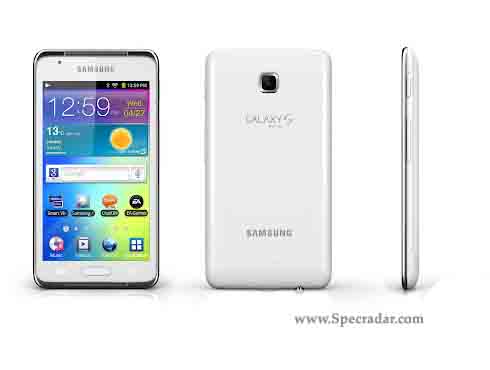
Samsung GALAXY S WiFi 4.2 Price and Review, SoundAlive audio system !

Overview:
Introducing the next generation of Samsung Galaxy S called Samsung Galaxy S Wifi 4.2. This Galaxy S Wifi comes with stylish design and slim with display of 4.2" Inch. Featured with amazing specs and comes with newest features to be related with Samsung Samrt TV.

Samsung GALAXY S WiFi 4.2 Price and Review
Samsung Galaxy S Wifi 4.2 is presented with the operating System of Android 2.3 Gingerbread, which no information of ICS update, and also presented with 1 GHz processor with 512 MB RAM. GALAXY S WiFi 4.2, the best of Android experiences with powerful gaming on the go. This experience is further enhanced with the device’s superior SoundAlive audio system, offering great sound either through a front stereo speaker or headphones. A gyroscope sensor enables the user to control the device by moving it, providing truly engaging and intuitive gaming.

Other interesting features include Samsung Apps, Samsung Hub, Social Hub, Readers Hub*/ Music Hub*/ Game Hub* (Downloadable via Samsung Apps), Samsung ChatON mobile communication service, Samsung Kies / Samsung Kies air, Samsung AllShare, Samsung SmartView: Smart TV remote control application. These features has relation with Samsung TV. Let's take a look inside the phone, below:

Features:
  • 2G Network GSM 850 / 900 / 1800 / 1900
  • 3G Network HSDPA 850 / 900 / 1900 / 2100
  • Display 4.2” WVGA(480x800) IPS TFT
  • Processor 1 GHz Processor
  • 8/16GB User memory + 512MB (RAM), microSD (up to 32GB)
  • OS Android 2.3(Gingerbread)
  • Camera Main(Rear) 2 Megapixel Camera
  • Sub(Front) VGA for Video Call
  • Connectivity Bluetooth technology v 3.0
  • USB 2.0, Wi-Fi 802.11 b/g/n
  • Sensor Gyroscope , Accelerometer, Digital compass
  • Video Codec: MPEG4, H.263, H.264, VC-1, DivX, WMV7, WMV8, WMV9
  • Format: 3GP, ASF, AVI, MP4, WMV, FLV, MKV
  • Playback/ Recording: HD@30fps, VGA@30fps
  • Audio Codec: MP3, AAC, AC-3, AMR, FLAC, WMA, WAV, OGG
  • Music Player with SoundAlive
  • Front Stereo Speaker 3.5mm Ear Jack
  • Value-added Features & Services
  • Premium EA Games preloaded Need For Speed Hot Pursuit
  • Samsung Apps, Samsung Hub, Social Hub
  • Readers Hub*/ Music Hub*/ Game Hub* (Downloadable via Samsung Apps)
  • Samsung ChatON mobile communication service
  • Samsung Kies / Samsung Kies air
  • Samsung AllShare
  • Samsung SmartView: Smart TV remote control application
  • GoogleTM Mobile Services
  • Android Market™, Gmail™, YouTube™, Google Maps™,
  • Syncing with Google Calendar™, Google Search, Google +
  • Battery Standard battery, Li-ion 1,500mAh
Main disadvantages
  • No Radio
Prices:

Coming soon

Gallery:


Video:


Samsung Galaxy Beam Price and Review, Built in Projector !

Overview:
Introducing the new innovation of Samsung mobile phone releasing the new smartphone built in projector designed in stylish and amazing featurer called Samsung Galaxy Beam. This 4.0” 480x800 (WVGA) TFT Galaxy Beam will become the only Samsung phone that is equipped with projector inside.

Samsung Galaxy Beam Price and Review
Samsung Galaxy Beam is featured with the operating system of Android 2.3 Gingerbread and the update to ICS is unkwnon, but bringing the Dual-core 1GHz processor, with 768 MB RAM, these specs are enough to run the apps faster in the Gingerbread. The most amazing features lay on its projector built inside the phone.

The projector lets users spontaneously share photos, videos or other digital media with family or friends by beaming content stored on the device directly onto walls, ceilings or improvised flat surfaces, so that everyone can share the fun without the need to huddle around smartphone or pad-sized screens. GALAXY Beam’s ultra-bright 15 lumens projector allows users to freely share life’s memorable moments instantly and in crisp clarity, even in outdoor environments. Let's take a look isnide the phone, below:

Features:
  • 2G Network GSM 850 / 900 / 1800 / 1900
  • 3G Network HSDPA 850 / 900 / 1900 / 2100
  • Type Super AMOLED capacitive touchscreen, 16M colors
  • Size 480 x 800 pixels, 4.0 inches (~233 ppi pixel density)
  • Built-in HD projector
  • Touch-sensitive controls
  • TouchWiz UI v4.0
  • 3.5mm jackOS Android OS, v2.3 (Gingerbread)
  • CPU Dual-core 1 GHz Cortex-A9
  • Card slot microSD, up to 32 GB
  • Internal 8 GB storage, 768 MB RAM
  • GPRS Class 12 (4+1/3+2/2+3/1+4 slots), 32 - 48 kbps
  • EDGE Class 12
  • Speed HSDPA, 14.4 Mbps; HSUPA, 5.76 Mbps
  • Wi-Fi 802.11 b/g/n, DLNA, Wi-Fi hotspot
  • Bluetooth v3.0 with A2DP, HS, microUSB v2.0
  • CAMERA Primary 5 MP, 2592 x 1944 pixels, autofocus, LED flash
  • Features Geo-tagging, touch focus, face and smile detection
  • Video 720p@30fps, Secondary 1.3 MP
  • Browser HTML, Adobe Flash
  • GPS, Java
  • Colors Black
  • SNS integration
  • MP4/DivX/WMV/H.264/H.263 player
  • MP3/WAV/eAAC+/AC3/FLAC player
  • Organizer
  • Image/video editor
  • Document editor
  • Google Search, Maps, Gmail,
  • YouTube, Calendar, Google Talk, Picasa integration
  • Voice memo/dial/commands
  • Predictive text input (Swype)
  • Standard battery, Li-Ion 2000 mAh
Main disadvantages
  • No Radio
  • Only 8 MP for saving HD files
Prices:

Coming soon

Gallery:


Video:


Samsung Galaxy S3 Built in 4.8" and Ceramic Back

Even Samsung has stated that they would not announce their flagship smartphone Samsung Galaxy S3 to be released on the MWC 2012 on Barcelona few days later, but according to reliable sources Samsung Galaxy S3 has been known by public that it will be featured with 4.8" Inch screen and built in Ceramic over the body.

Samsung Galaxy S3 will be launched over 50 countries simultaneously with Super Amoled Plus HD. The body uses ceramic on the back instead of glossy plastic of the previous one.

There are much need to be patient of to taste this great smartphone on the world, but let's just seek another phones that meet to our desire so far.


Samsung Galaxy Mini 2 S6500, a Lot Better Than the Previous Mini S5570

Samsung as the giant mobile phone manufacture from South Korean really gives us many choices of mobile phone in which is suitable for our taste. They are always making and producing a better phone along the time, especially to produce another similar phone to the popular one. Take as one example the most popular Galaxy Mini.


After got succeed launching Samsung Galaxy Mini S5570, now Samsung make another Mini called Samsung Galaxy Mini 2 S6500 which better equipped and better features presented to us. The Mini S5570 is featured with Android OS, v2.2 (Froyo), 600 MHz Processor, 160 MB storage, 384MB RAM, and most of all is 240 x 320 pixels, 3.14 inches.


But, do not so surprise if you looks this feature inside the Mini 2 S6500, which are Android OS, v2.3 (Gingerbread), 800 MHz processor, 4 GB storage, 512 MB RAM, and size 320 x 480 pixels, 3.27 inches. The most amazing thing is the screen size which made wider than the previous Mini. It almost get similiar with the Galaxy Ace 2

Galaxy Ace 2, a Dual-core 800 MHz is Coming Up

Samsung as the mobile phone manufacture in South Korean apparently spreads the wings again to release another mid range smartphone called Galaxy Ace 2. Together with Galaxy Ace and Ace Plus, now Ace 2 also comes to us with another developed features.


Samsung Galaxy Ace 2 is planned to launch after MWC 2012 on Barcelona, Spain. This mid range smartphone was announced in the previous days to be available soon together with other newest Samsung Smartphone.

Samsung Galaxy Ace 2 planned to be equipped with more advanced compared to its previous brother, Galaxy Ace. Ace 2 has little more wider screen in 480 x 800 pixels, 3.8 inches, in which the Ace is only 320 x 480 pixels, 3.5 inches. The internal memory also comes higher in 1GB internal storage and 768 MB RAM, a lot better than the previous Ace that only 158 MB storage, 278 MB RAM.

Another advance features lay on its processor that will be equipped with a dual-core 800 MHz to be absolutely faster than the previous Ace. Also the Bluetooth is better in v3.0.

Samsung Rugby Smart, the Waterproof and Dustproof Samsung Phone

Samsung spreads their wings again with launching another smartphone released on this year. The one called Rugby Smart comes with some special features on the phone against other smartphone available on the market. This phone is planned to officially released Starting March 4 under AT&T.


Samsung Rugby Smart is a waterproof and dustproof phone in which capable of special features, include can be submerged in up to 1m of water for 30 minutes, and can withstand extreme temperatures. Another phone that has this features is Panasonic Eluga that prepared to be join in MWC 2012 in Barcelona. 


Samsung Rugby Smart is featured with the Android OS 2.3 Gingerbread, which the update to ICS should be available on after the release. This phone also featured with 3.7-inch WVGA Super AMOLED touchscreen display and a 5MP camera with HD video recording. It also supports 4G service, Wi-Fi®, corporate email and the full line of media including location, music and social networking services.

Specifications
  • Technology: GSM, EDGE, UMTS, HSPA+
  • Operating System:  Android 2.3
  • Display:  3.7-inch WVGA Super AMOLED display
  • External Memory: Supports up to 32GB via microSD™
  • Internal Memory: 4GB
  • Dimensions: 122.4mm x 65.9mm x 12.19mm
  • Weight: 4.2 oz
  • Camera: 5MP rear facing with flash and auto focus with HD 720p video capture; 1.3 MP front facing camera;
  • Battery: 1650 mAh LiIon Poly
  • Talk Time: Up to 8 hours
  • Standby Time: Up to 16 days


Samsung Galaxy Note I717 Reviews, Newest 5.3 inches Tablet !

Overview:
Samsung finally releases another Note to compete with other tablet on market today. This one has 5.3 inches in which come with LTE packing offering the best features in similiar with the previous Galaxy Note. The Difference between Galaxy Note and Galaxy Note I717 is the Chipset used, Galaxy note is Exynos 4210 Dual Core 1.4GHz with Mali400 GPU, and Galaxy Note I717 is Qualcomm MSM8660 Dual Core 1.5GHz with Adreno 220 GPU. 

Samsung Galaxy Note I717 
Looking inside the phone presented with the 1GB RAM the resolution of the screen is also beautiful. The camera takes great photos and you only need a few simple steps using the editing tool in this phone to get flawless and basic effects. 

The battery life isn't as terrible as some said because someone has always play around with apps and surf the net and it lasted for at least 6 hrs with super heavy usage, with lots of applications running. Basically, this phone is really good. Definitely worth the money. But only if you don't mind a phone that doesn't fit in your pocket. Let's take a look inside the Tablet, below:

Features:
  • Quad-band GSM and tri-band 3G support
  • 21 Mbps HSDPA and 5.76 Mbps HSUPA
  • LTE network connectivity
  • 5.3" 16M-color Super AMOLED capacitive touchscreen of HiDef resolution (800 x 1280 pixels)
  • Android OS v2.3.6 with TouchWiz 4 launcher
  • 1.5 GHz dual-core Scorpion CPU, Adreno 220 GPU, Snapdragon S3 chipset, 1GB of RAM
  • Pre-bundled with the S Pen active stylus
  • 8 MP wide-angle autofocus camera with LED flash, face, smile and blink detection
  • Video recording of up to 1080p@30fps
  • Dual-band Wi-Fi 802.11 b, g and n support; Wi-Fi Direct and Wi-Fi hotspot
  • GPS with A-GPS connectivity; Digital compass
  • 16 internal storage, microSD slot
  • Accelerometer, gyroscope and proximity sensor
  • Standard 3.5 mm audio jack
  • Charging MHL microUSB port with USB host and TV-out (1080p through optional adapter) support
  • Stereo Bluetooth v3.0
  • Great audio quality
  • 9.7 mm slim and weighs a reasonable 178g
  • 2MP secondary video-call camera
  • Full Flash support and GPU-acceleration for the web browser permit 1080p flash video playback
  • Document editor
  • File manager comes preinstalled
  • Extremely rich audio and video format support
  • S Pen stylus
  • Active noise cancellation with dedicated mic
  • TV-out (via MHL A/V link)
  • SNS integration
  • MP4/DivX/XviD/WMV/H.264/H.263 player
  • MP3/WAV/eAAC+/AC3/FLAC player
  • Organizer
  • Image/video editor
  • Document editor (Word, Excel, PowerPoint, PDF)
  • Google Search, Maps, Gmail,
  • YouTube, Calendar, Google Talk, Picasa integration
  • Voice memo/dial/commands
  • Predictive text input (Swype)
  • Standard battery, Li-Ion 2500 mAh
  • Stand-by Up to 252 h
  • Talk time 10 h
  • 2500 mAh battery
Main disadvantages
  • Won't fit comfortably in every pocket
  • Difficult for one-handed use
  • No dedicated camera key
  • The Exynos chipset of the global version is significantly faster- both in benchmarks and real life
  • HD screen uses PenTile matrix lowering perceived resolution
  • No FM radio (the global version has one)
Prices:

Samsung Galaxy Note I717 is available.

Gallery:


Video:

Samsung S8530 Wave II Reviews, The Wave Sequels of Bada OS !

Overview:
November 2010 was the time when the operating system of Bada OS made by the vendor from South Korean finally proved its existence. Knowing that Bada OS is not just an experiment is another fact we should consider in Samsung Wave. Samsung released their second Wave which also equipped with the newe Bada OS 1.2. The successor of the last OS.

Samsung S8530 Wave II
Comparing with the previous Samsung Wave, Samsung Wave II is better which are presented with the latest Bada OS 1.2 that the softwares are more available to get update, the swype-like T9 Trace text input, Over-the-Air software updates, and also the larger 3.7" touchscreen. Other specs are rather similiar with the previous wave.

However, the operating system of Bada OS is still lost to the Android OS. This is we should consider before buying it. But, the features presented on this smartphone are the best regarding it fast, easy to use, and more important is sold on such an affordable price tag. Let's take a look inside Samsung Wave II, below :

Features:
  • 3.7" 16M-color Super Clear LCD capacitive touchscreen, WVGA (480 x 800 pixels), multi-touch input, scratch-resistant glass surface
  • Slim and solid metal body
  • Bada OS 1.2 with Samsung Apps
  • ARM Cortex A8 based 1GHz CPU
  • Quad-band GSM support with dual-band HSPA
  • Wi-Fi 802.11b/g/n connectivity with WPS support, Wi-Fi tethering
  • Built-in GPS receiver with A-GPS support, digital compass, Samsung LBS powered by ROUTE 66
  • 5 MP autofocus camera with touch focus and LED flash, geotagging, face, smile and blink detection
  • 720p video recording at 30fps
  • 2GB internal storage, microSDHC card slot
  • Standard microUSB port and Bluetooth v3.0 with A2DP
  • Standard 3.5mm audio jack, TV out
  • Stereo FM radio with RDS, FM recording
  • Webkit-based Samsung Dolphin Browser 2.0 with Flash support
  • YouTube client, Facebook and Twitter integration
  • DivX/XviD video support
  • Good audio quality
Main disadvantages
  • Limited number of available applications
  • Super Clear LCD can’t match SuperAMOLED
  • Card slot under the battery
  • No lens protection
  • SatNav software only a 30-day trial
  • No ambient light sensor to adjust screen brightness automatically
  • Poor loudspeaker performance
Prices:

Samsung S8530 WAVE II is available with the price $268.10.

Video:

Samsung Exhibit II 4G Reviews, An Affordable Best Features Inside !

Overview:
Apparently Samsung has released their smartphone called Samsung Exhibit II 4G that is full of features and comes with such an affordable price tag made us to reconsider not to have it. Looking at something it has, including the performance, design, and featuresm i think Samsung Exhibit II 4G comes just perfectly competing with the other smartphones on the market.

Samsung Exhibit II 4G
Samsung Exhibit II 4G is equipped with 1 GHz processor and T-Mobile's blazing fast 4G network, provides seamless viewing of live and on-demand channels from preloaded T-Mobile TV--including free programming from select stations like ABC News Now, FOX Sports, PBS Kids and Azteca America.

Amazing features we will find on this smartphone are Android 2.3 OS, 1 GHz processor, 3.7-inch touchscreen, 4 GB memory, 3-MP rear camera + VGA front camera, GPS navigation, Wireless-N Wi-Fi, Stereo Bluetooth 3.0, Personal/corporate e-mail, and other best and amazing features. Let's take a look inside this smartphone, below :

Features:
  • Quad-band GSM and dual-band 3G support
  • 14.4 Mbps HSDPA; 5.76 Mbps HSUPA
  • 1GHz Snapdragon CPU; Adreno 205 GPU; Qualcomm MSM 8255 chipset
  • 512MB RAM; 1GB ROM; microSD card support (up to 32GB)
  • 3.7” LCD display with WVGA (800 x 480 pixels) resolution; 252ppi pixel density
  • Front-facing VGA camera for video calls
  • Android 2.3.5 Gingerbread with TouchWiz 4.0 launcher
  • Rich video format support out of the box
  • Wi-Fi calling enabled
  • Accelerometer, proximity and ambient light sensors
  • SNS integration
  • MP4/WMV/H.264/H.263 player
  • MP3/WAV/eAAC+ player
  • Organizer
  • Image/video editor
  • Document viewer
  • Google Search, Maps, Gmail,
  • YouTube, Calendar, Google Talk, Picasa integration
  • Voice memo/dial
  • Predictive text input
  • Standard battery, Li-Ion 1500 mAh
Main disadvantages
  • No zoom for taking picture
  • Design is a bit dull with plastic material
  • 3.2MP camera with lowly VGA video recording;
  • No dedicated key camera on the body
  • High amount of preloaded apps from T-Mobile
  • No memory card enclosed
Prices:

Samsung Exhibit II 4G is available with the price $189.00.

Video:

Samsung S8500 Wave Reviews, Taste of Bada OS !

Overview:
Samsung S8500 Wave is the smartphone used the operating system of Bada OS. The new OS made of Samsung is able to taste on this smartphone which equipped with other best features on it. Samsung S8500 Wave was released on April 2010 and hit the people around the world. The stylish, performance, and features are amazingly on the best. The popularity also increase through the time.

Samsung S8500 Wave

Samsung S8500 Wave is powered by a Samsung-made 1GHz processor and has a great connectivity package. You get both HSDPA and HSUPA support, as well as Bluetooth v3.0 and Wi-Fi with WPS and Wi-Fi tethering. There’s a 5-megapixel camera with 720p video recording at 30fps, and an inbuilt GPS receiver.

One thing to consider before buying Samsung S8500 is the limited third party software. The Bada OS finally didn't developed so far and Samsung chooses to develop their Smartphones based on Android operating system. let's take a look inside Samsung S8500 Wave, below :

Features:
  • 3.3" 16M-color Super AMOLED capacitive touchscreen, WVGA (480 x 800 pixels), multi-touch input support, scratch-resistant glass surface
  • Solid 10.9mm-thin metal body
  • Bada OS with Samsung Apps
  • ARM Cortex A8 based 1GHz CPU
  • Quad-band GSM support with dual-band 3.6Mbps HSDPA, 2Mbps HSUPA
  • Wi-Fi 802.11b/g/n connectivity with WPS support, Wi-Fi tethering app
  • Built-in GPS receiver with A-GPS support, digital compass, Samsung Mobile Navigator
  • 5 MP autofocus camera with touch focus, geo-tagging, face, smile and blink detection and LED flash
  • 720p video recording at 30fps
  • 390MB user available memory, 1GB Bada apps storage and 550MB messaging storage
  • microSDHC card slot
  • Standard microUSB port and Bluetooth v3.0 with A2DP
  • Standard 3.5mm audio jack, TV out
  • Stereo FM radio with RDS, FM recording
  • Webkit-based Samsung Dolphin Browser 2.0 with full Flash support
  • YouTube client, Facebook and Twitter integration
  • DivX/XviD video support
  • Impressive audio quality
Main disadvantages
  • Limited number of available applications
  • No lens cover
  • Card slot under the battery
  • Inbuilt SatNav software has only a 30-day navigation license
  • No ambient light sensor to change screen brightness dynamically
Prices:

Samsung S8500 Wave is available with the price $291.16. 

Video:

Samsung Galaxy Ace Plus Reviews, The Upcoming 1 Ghz Processor !

Overview:
The vendor from South Korean seems not satifsfied of the success after releasing the previous Galaxy Ace S5830, which amazingly succeed to attract public interest around the world. The make another Ace to taste another success i think. The successor of the previous Galaxy Ace is named Galaxy Ace Plus, which officially anounced on this year. New year new success and new smartphone of Ace.

Samsung Galaxy Ace +
Both Aces are similiar but not similiar. Apparently the newest Ace is heavier than the previous which was 113 g and the Ace + is 115 g. But i think it is not the problem though. The change is precisely located on its processor in which the Ace + is equipped with 1Ghz processor. It absolutely makes the phone run faster than before which was equipped only 800 MHz ARM. Other different we found so far is the internal storage which the Ace + is provided bigger which is 3 GB and expandable, whereas the previous was only 158 MB storage. The bluetooth also changed to v3.0 with A2DP.

However, other specs of Samsung Galaxy Ace + are not really different with the previous Ace including the screen, 5 megapixe autofocus camera with LED flash, dual-band 3G with 7.2 Mbps HSDPA, Wi-Fi, GPS, 3.5mm audio jack and a standard microUSB port. let's take a look inside the Samsung Galaxy Ace Plus, below :

Features:
  • Quad-band GSM and dual-band 3G support
  • 7.2 Mbps HSDPA support
  • 3.5" 16M-color TFT LCD capacitive touchscreen of HVGA (320 x 480 pixels) resolution
  • 1 GHz; 512 MB of RAM available to the user
  • Android OS, v2.3 (Gingerbread) with TouchWiz 3.0 UI customization
  • Swype text input
  • 5 MP autofocus camera with LED flash; Geo-tagging, face and smile detection
  • QVGA@15fps video
  • 3 GB storage, microSD slot (up to 32GB, 2GB in box),
  • Wi-Fi 802.11 b, g, n and DLNA
  • GPS with A-GPS connectivity; Digital compass
  • microUSB port (charging) and stereo Bluetooth v3.0
  • Standard 3.5 mm audio jack
  • DNSe sound enhancement
  • FM radio with RDS
  • Document editor
  • File manager preinstalled
  • Samsung Apps brings a few nice apps for free
  • Accelerometer and proximity sensor
Main disadvantages:
  • No secondary camera
  • No the latest android
  • The battrey is smaller than the previous
Prices:

Coming soon

Video:

Image source: samsungmobilepress.com